for LPU students · free · runs on your laptop

The class was cancelled. You already knew.

UMS and LPU Touch never notify you. campus-agent logs into UMS so you don't have to, checks your timetable and notices on a schedule you control, and pings your phone as soon as it sees a change.

windows · linux · no account · no server · your data never leaves
campus — sync

    
what it does

The portal, turned into a background job.

One sync reads your timetable, attendance, exam dates and the My Messages feed. Everything below falls out of that.

01

Cancel & move alerts

telegram · automatic

The one that matters. Each check diffs your timetable against the last one, and a private Telegram bot pings you CANCELLED: Wed 10:20 CAP7001 — room moves and new UMS notices included, class-related ones flagged first. Checks run every few hours by default; tune the interval to taste.

02

Safe-to-skip math

campus bunk CAB106

Knows your timetable, your attendance and the term dates, so it answers the real question: how many more can I miss and still sit the exam? No more mental arithmetic against the 75% bar.

03

Your phone's calendar

export to phone

One click exports the whole term — classes with rooms, exams, holidays — as a calendar file. Your phone does the reminding natively; nothing to keep open.

04

Morning brief

daily · 7am

One message: today's classes, anything that changed overnight, and any course drifting toward the bar. Read it before you decide whether to get up.

05

A quiet dashboard

campus serve

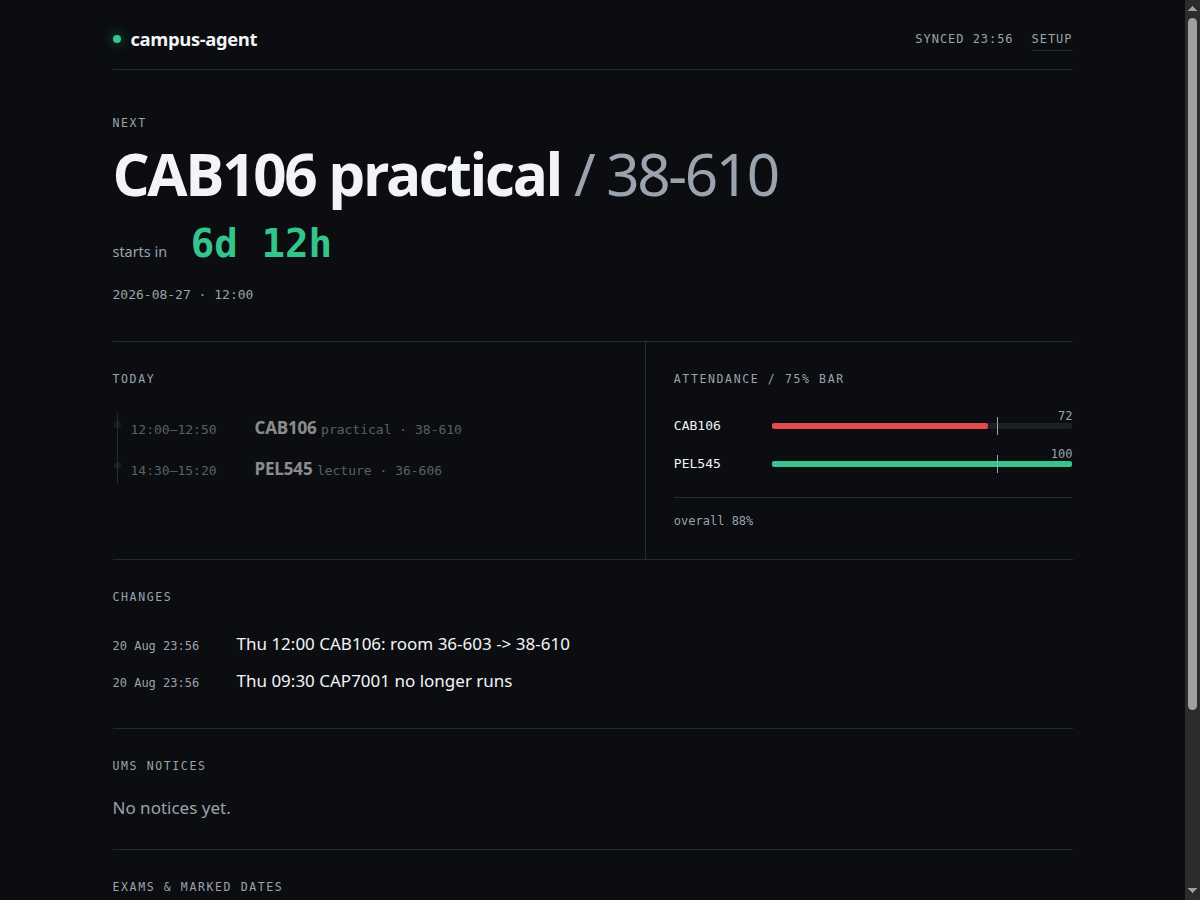
A local page with a live countdown to your next class, today's timeline, and attendance gauges against the bar. Set up entirely in the browser — toggles and forms, not commands.

06

Mail that matters

optional

Read-only Gmail digest that pulls exam, fee and placement mail out of the unread pile. It cannot send, delete or mark anything — by construction.

why you can trust it with your password

Local-first isn't a slogan here. It's the architecture.

There is no backend. Check any claim below against the running app.

your password

Goes to your OS's own secret store — Windows Credential Manager or the Linux secret service. The same vault a password manager uses. Never a file, never this download, never a server.

your attendance

Never leaves the device. Phone alerts carry course codes, rooms and times; the percentages stay local.

network calls

The app talks to the UMS portal and only the services you switch on — your own Telegram bot, your own mail. No telemetry, no analytics, nothing else. (This website loads its fonts from Google; the app itself loads nothing.)

the dashboard

Binds to 127.0.0.1 only and rejects cross-site requests. Your data isn't reachable from the network, full stop.

when it breaks

Loudly. A page that half-loads is refused, never stored — the app tells you it failed instead of quietly showing you stale data.

install

Four steps, once, on your laptop.

You need Python 3.11+ (Windows doesn't ship it — step 1 covers you) and Chrome or Edge, which you already have.

Get Python (skip if you have it)

Windows: install from python.org and tick "Add python.exe to PATH" on the first screen — that checkbox matters. Check it worked: open PowerShell and run py --version. Linux: you already have it.

Install — in a terminal, one line at a time

Windows: open your Downloads folder, Shift+right-click an empty spot, "Open PowerShell window here", then:

py -m pip install --user pipx
py -m pipx ensurepath
# close PowerShell, open a NEW one in Downloads, then:
pipx install ./campus_agent-0.1.0-py3-none-any.whl

Linux: sudo apt install pipx (or your distro's equivalent), then pipx install ./campus_agent-0.1.0-py3-none-any.whl from your Downloads folder.

"command not found" after installing? Close the terminal and open a new one — the PATH change only applies to fresh windows.

Run it — everything else is clicking
campus serve

A setup page opens in your browser by itself. Flip on what you want, enter your UMS login once, connect a Telegram bot — forms, not commands. Open the dashboard, hit Sync now, done.